One card, every venue.
Stamps from every venue sit in one place, in your phone. No plastic in your wallet and no app to install.
How it goes
1.0-4.0
1.0
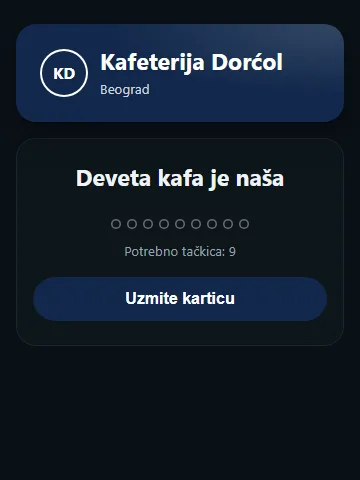
You scan the code on the table
The venue page opens. Enter your phone number, get a code by message, and the card is yours. Nothing to download, no password.
2.0
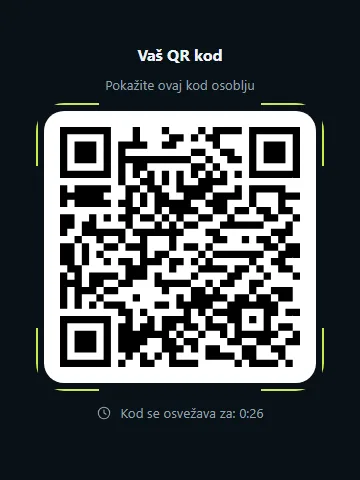
You show your code
When you pay, open the card and show the code. Staff scan it and the stamp is there straight away.
3.0
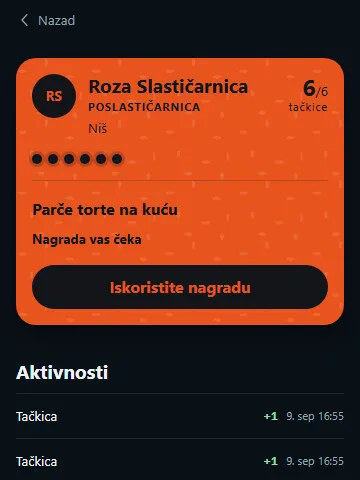
The card fills up
Once you have every stamp, the card offers the reward itself. Show the reward code, staff scan it, and that is that.
4.0
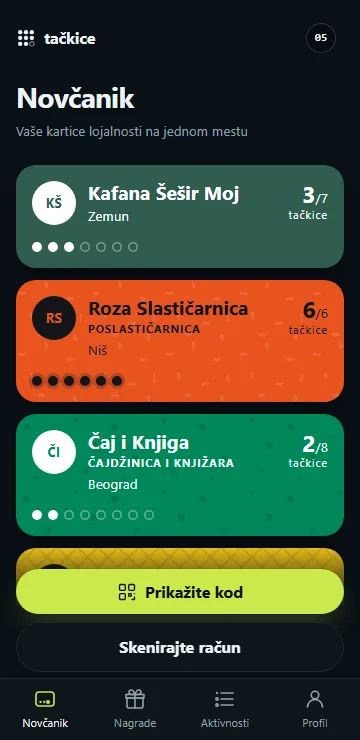
Every card in one place
Each venue has its own card, but they all live in the same phone under the same number. No starting again at every venue.
With your card
Everything the card does.
Stamps from your receipt
Scan the QR on a fiscal receipt and the stamps land on your card. A photo or a screenshot of the receipt works too.
Creased receipt?
If the QR will not read, we walk you through the Tax Administration's own lookup, step by step.
We tell you when staff add a stamp
When staff add a stamp, your phone notifies you, if you turned notifications on.
Rewards with a short-lived code
To redeem, open a code that is valid only briefly and show it at the counter.
Your stamp code works offline
The code you show for stamps displays even without internet, for example in a place with no signal.
Sign in on a computer
On a computer, scan the QR with the phone you are signed in on and confirm, no new SMS code.
Delete your account
You can delete your account yourself, in your profile.
Questions
- Do I need an app?
- No. The card runs in the browser. You can save it to your home screen if you want it to sit there like an icon.
- What do you do with my number?
- You sign in with it, and that is what it is for. We only send offers if you separately agree, and you can change your mind.
- What if I change phone?
- Sign in with the same number and your cards are there. The stamps live with us, not in the phone.